Wallets and customers
Create a wallet
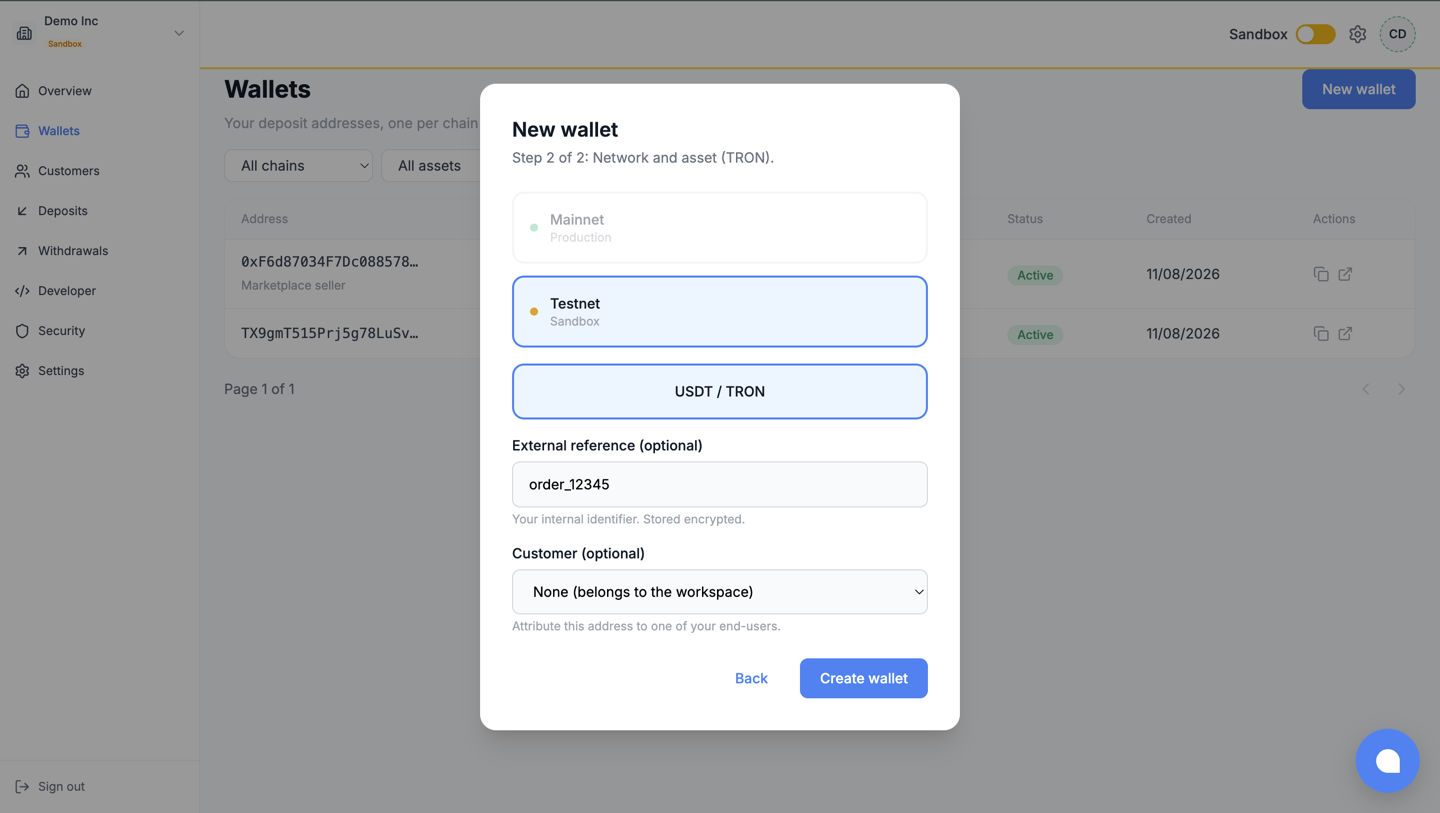
Section titled “Create a wallet”Wallets > Create wallet. Pick the chain and the asset; the pickers only offer chains currently
open for new operations, so you cannot create a wallet that would fail. Add your own reference
(external_ref, an opaque id, never personal data) and, if you use sub-accounts, attach a
customer.
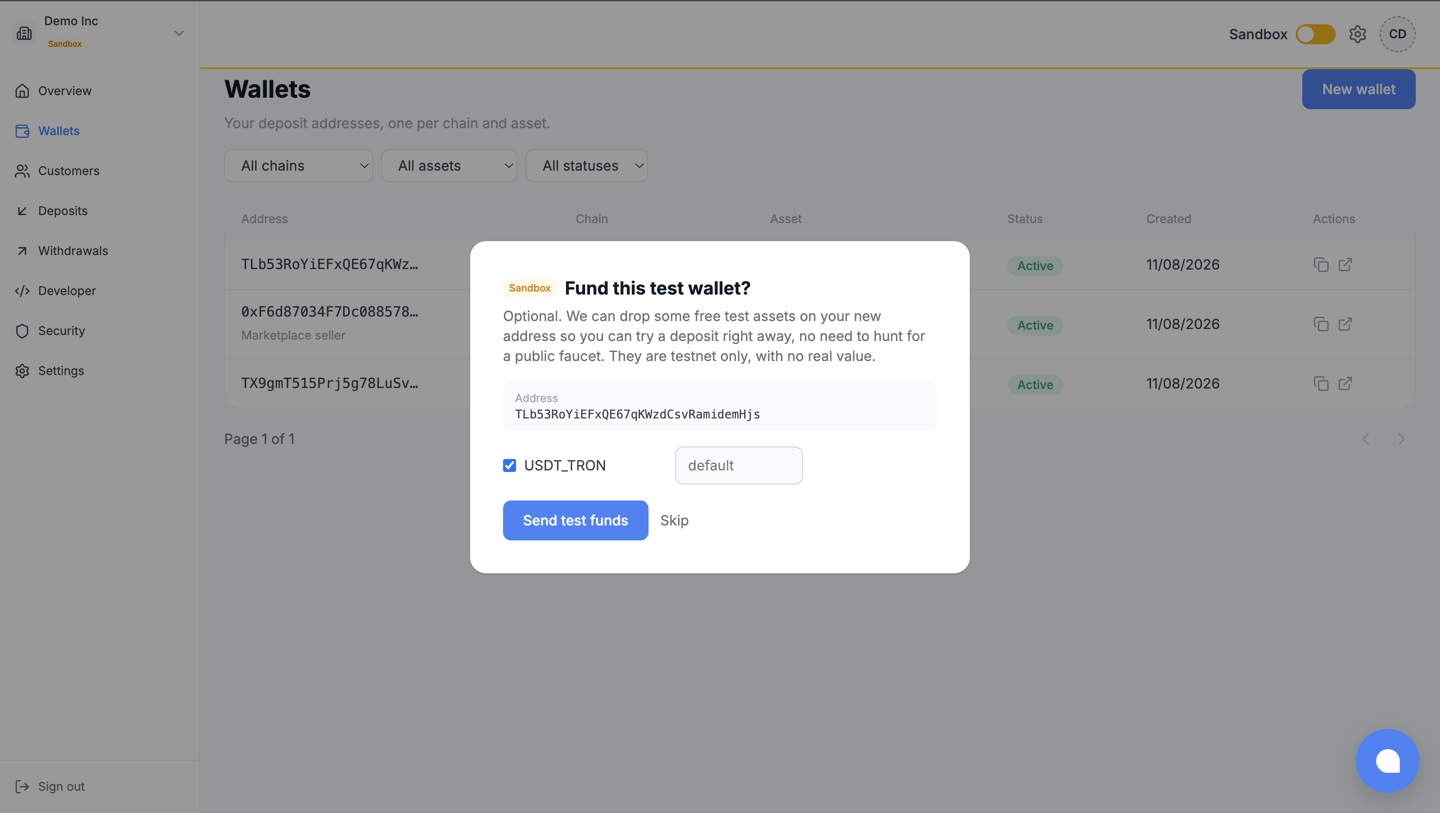
On a Sandbox wallet, creation is followed by an optional pre-fund prompt: accept it and the faucet sends test assets to the new address, which then arrive as a normal deposit.
The wallet list filters by chain, asset and status; the detail view carries the full address and its technical identifiers. Wallets have no off switch by design: a public address can always receive, so CowriePay keeps watching it.
Customers (sub-accounts)
Section titled “Customers (sub-accounts)”Customers manages the optional sub-accounts that group wallets per end-user; the concept and
its rules (opaque external_ref, what archiving does and does not do) are in the
customers guide.
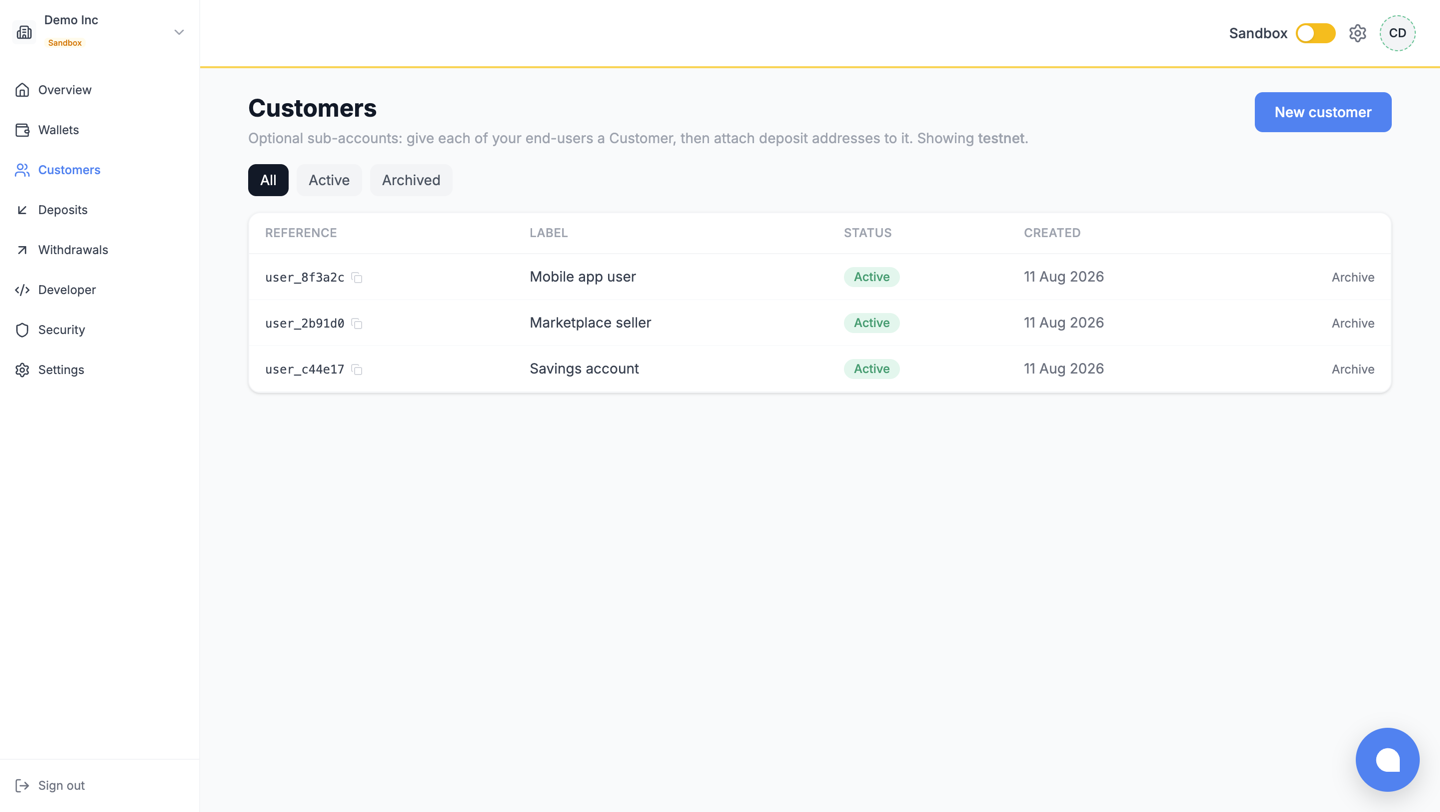
From here you create a customer, edit its label, archive it, and jump to its wallets.
What next
Section titled “What next”- Deposits and withdrawals: where the money shows up.
- Collect deposits: the API-side view of the same flow.