Developer: API keys and webhooks
The Developer page holds the two credentials your integration lives on. Both follow the same iron rule: a secret is shown once, at creation, and never again.
API keys
Section titled “API keys”Keys are listed per network (the header toggle decides which set you see). Creation is where you shape access:
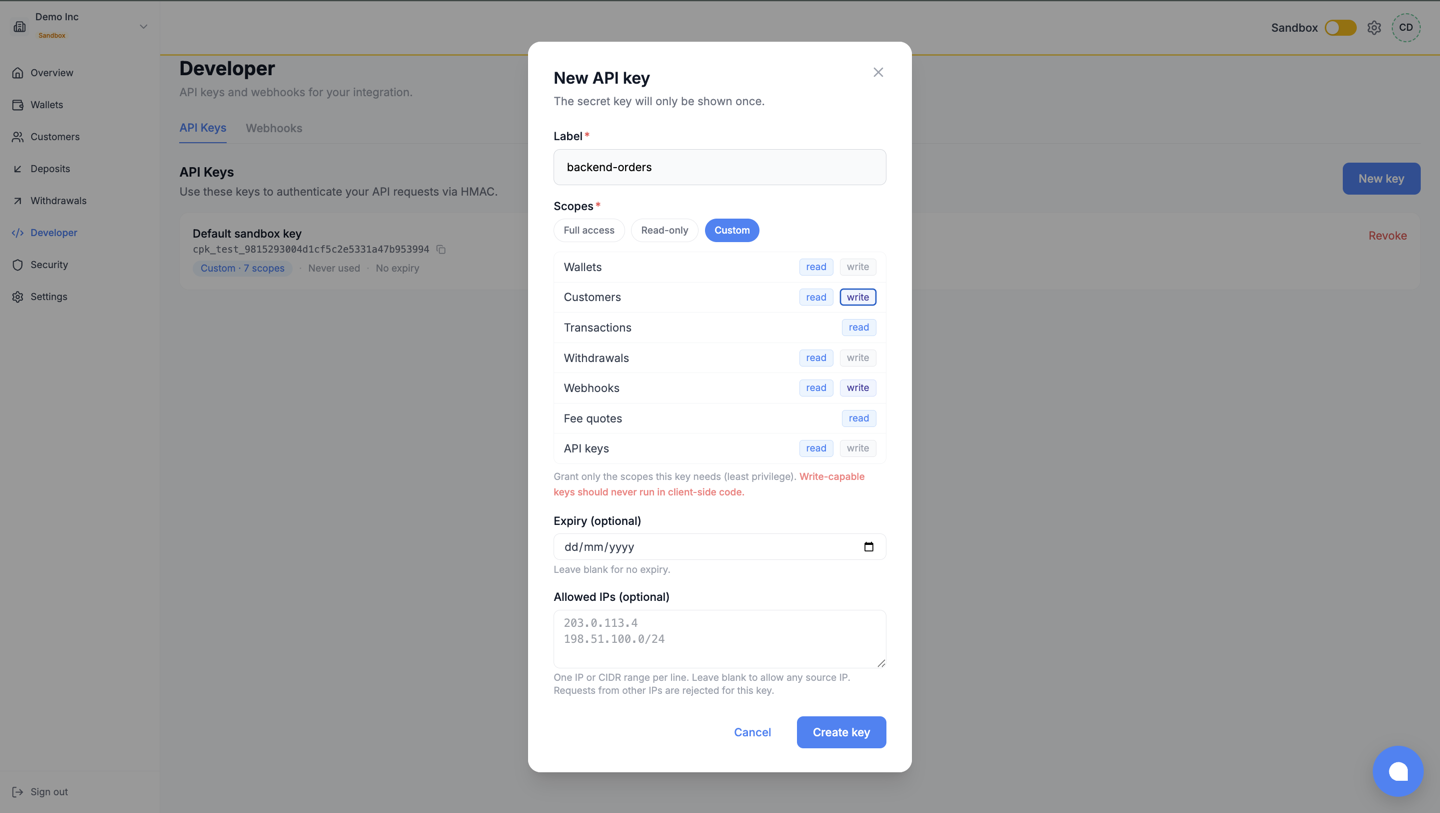
- Label: name the integration, not the person.
- Scopes: tick only what this integration calls; the catalogue and semantics are on Create an API key in the reference.
- Network: Sandbox (
cpk_test_) or Live (cpk_live_; exists once the workspace is live). - IP allowlist (optional): pin the key to your servers’ addresses.
- Expiry (optional): time-box keys you hand out.
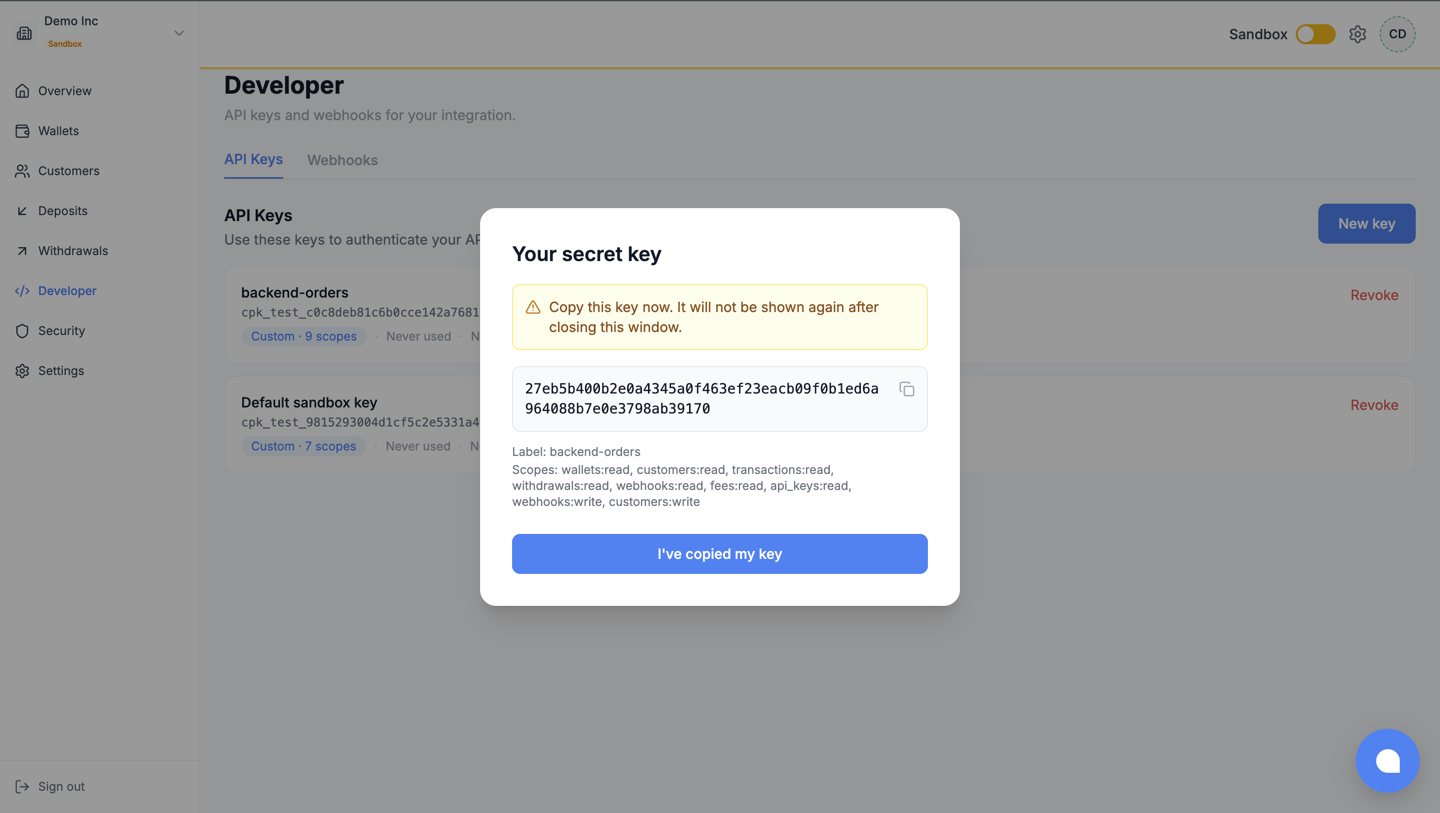
Store the key and secret in your secret manager before closing the dialog. A lost secret is not recoverable: mint a new key, deploy it, then revoke the old one (revocation is immediate).
Webhook endpoints
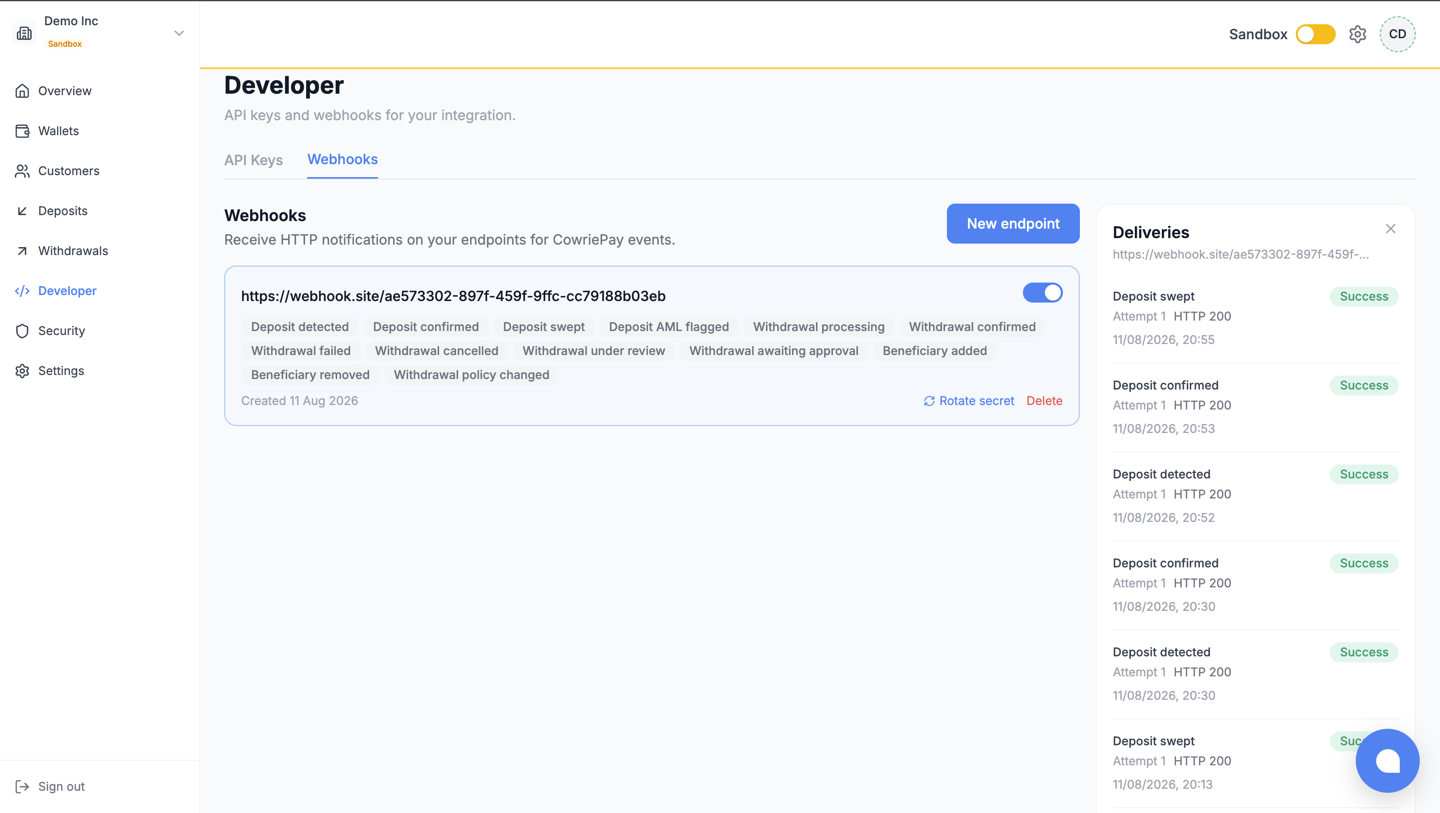
Section titled “Webhook endpoints”The same page manages webhook endpoints, per network: create (the signing secret appears once), edit the subscribed events, delete.
Two operational tools matter day to day:
- Rotate secret issues a new signing secret while the old one keeps verifying for 24 hours, so you can roll credentials with zero dropped deliveries; the mechanics are in the Webhooks guide.
- The delivery log shows every attempted delivery to an endpoint, its status and retries; it is the first place to look when your handler “did not receive” an event.
What next
Section titled “What next”- Create your account and get your keys: how the very first key came to exist.
- Webhooks: signature verification and the retry contract behind the log.