Deposits and withdrawals
Deposits: follow the money in
Section titled “Deposits: follow the money in”Deposits lists every incoming deposit, filterable by chain, asset and status, in the network selected by the header toggle. The detail view shows the on-chain identifiers, the confirmation progress, and the fee record once the deposit has been consolidated (it is empty until then, by design; see Fees, balances and reconciliation).
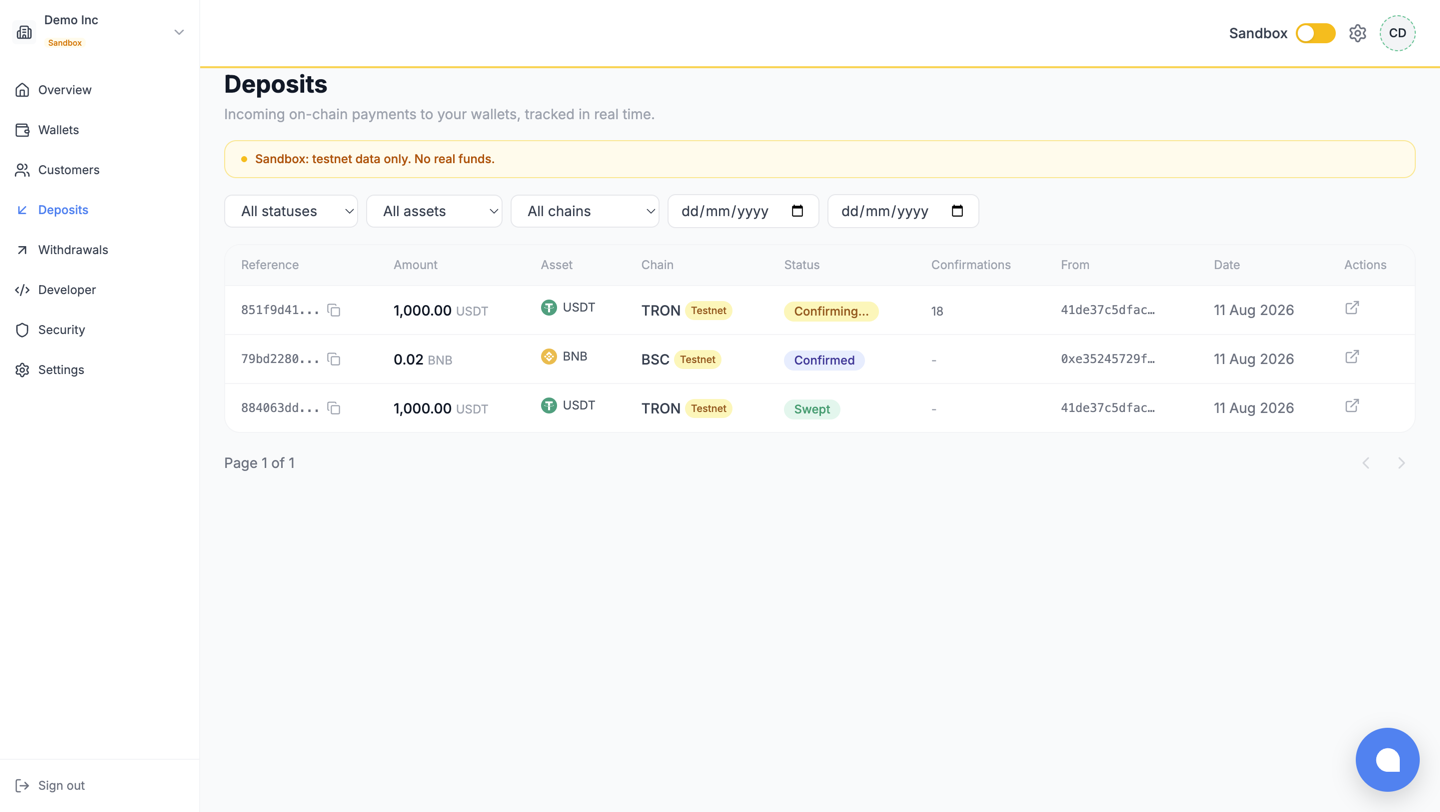
The statuses are exactly the API’s: what each one means, and what it does to your balance, is the table in Collect deposits.
Create a withdrawal
Section titled “Create a withdrawal”Withdrawals > New withdrawal. The form quotes the fee and the net before you commit, and submitting always requires your authenticator code: a withdrawal from the dashboard is a protected action, whoever you are.
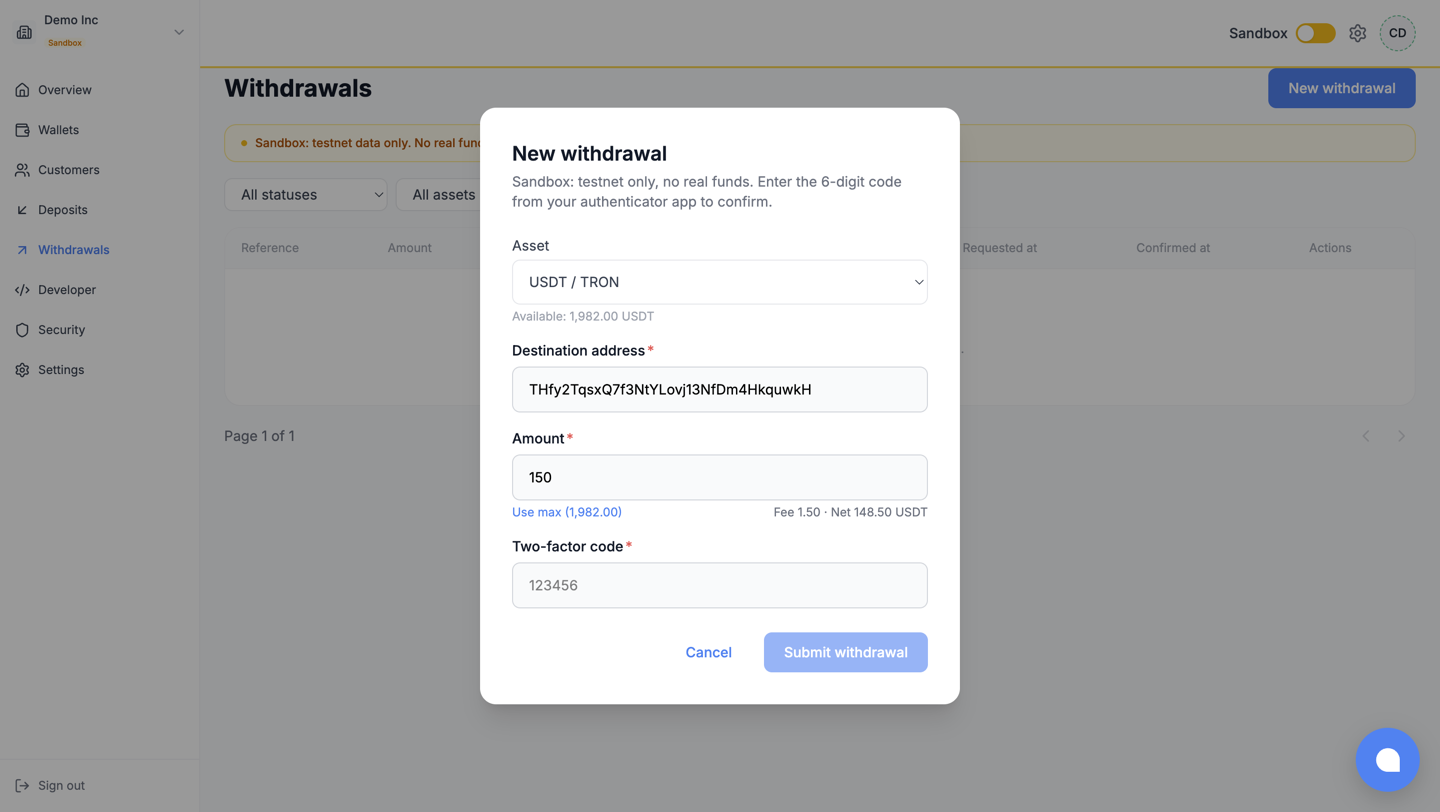
On the Live side, the destination must satisfy the withdrawal allowlist configured in Security, exactly like an API withdrawal; the dashboard is not a way around the policy.
The approval queue
Section titled “The approval queue”When your policy sets an approval threshold, withdrawals above it wait in Withdrawals with the
PENDING_APPROVAL status. A member holding approval rights reviews them there: approve (with your
authenticator code) and it proceeds; reject and the funds return to available.
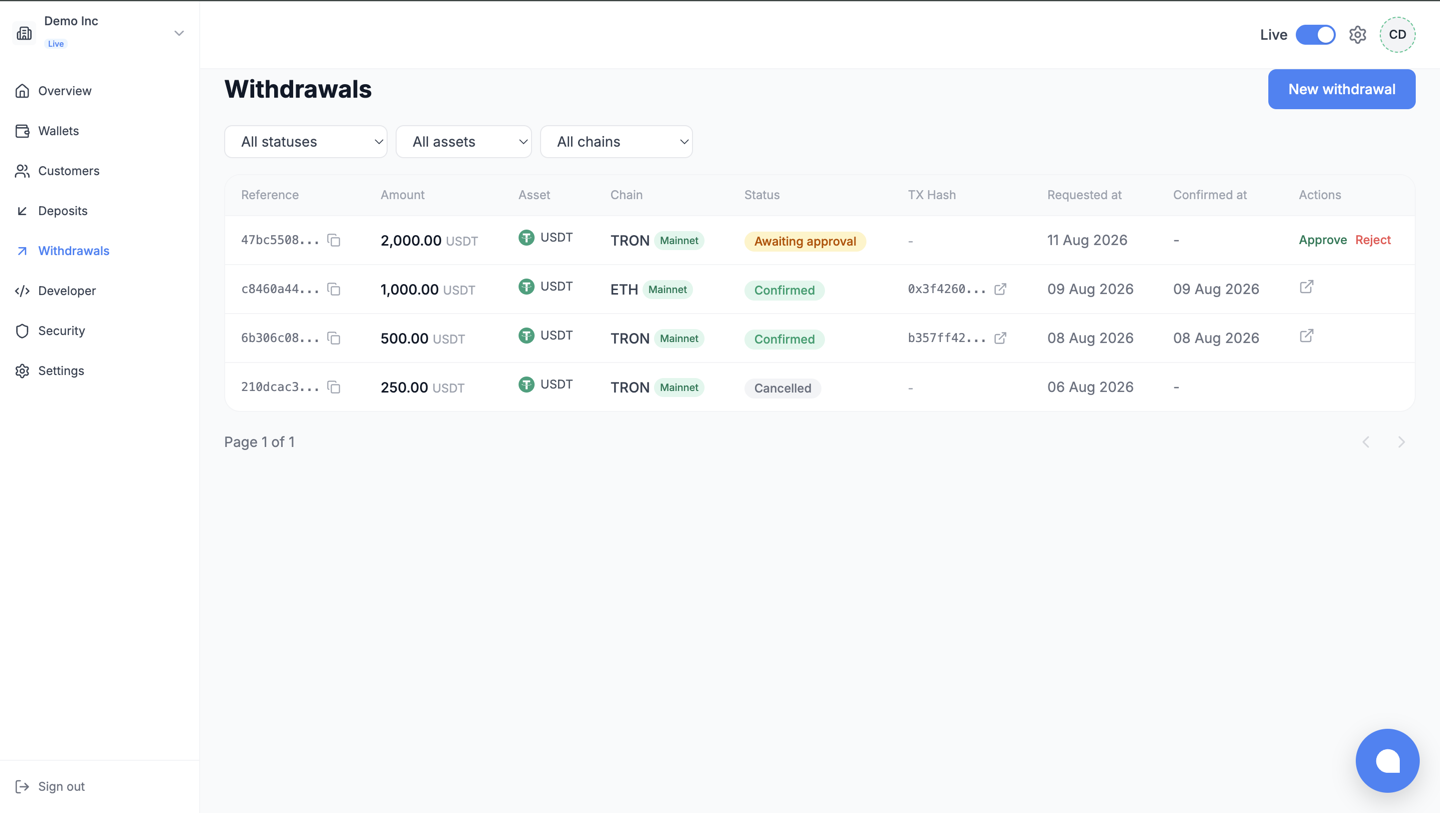
Two hard rules, enforced server-side: the approver must have 2FA enrolled, and the member who created a withdrawal can never approve it, whatever their role.
What next
Section titled “What next”- Send withdrawals: the API-side view, statuses and webhooks included.
- Security: where the allowlist and the approval threshold are set.